






Laptop Sleeve Smarts
The biggest hurdle at TSA often involves your laptop. Instead of wrestling with bulky or zippered sleeves that slow down removal, opt for magnetic or Velcro
alternatives. These allow for a swift slide out, crucial for quick screening. Some even double as convenient laptop stands for on-the-go work. The key is easy accessibility – a snug yet easily removable sleeve means less fuss when your device needs to be inspected separately. A well-designed sleeve protects your laptop from scratches and minor impacts, ensuring it remains safe throughout your travels without adding unnecessary bulk or complexity to the security process. Prioritizing a design that facilitates rapid removal is paramount for a streamlined experience.
Streamlined Carry-On Choices
When opting for a backpack as your personal item, choose models designed for efficient travel. Look for bags with distinct compartments, particularly a dedicated, easily accessible laptop pouch. This separation allows you to present your laptop for screening without rummaging through other belongings. Some backpacks feature innovative padding systems that protect your laptop from the bag's floor and external impacts, providing peace of mind. A slim profile is essential to avoid bulky personal items that can cause issues. The goal is a bag that holds your essentials neatly, with a clear pathway for your laptop to be removed and reinserted without delay, enhancing both organization and speed.
Personal Item Accessibility
Your personal item is a critical component for airport efficiency. Select a bag that fits comfortably under the seat in front of you and features a dedicated, padded compartment for your laptop. This design eliminates the need for an additional laptop sleeve, simplifying the removal process significantly. The best personal items offer a sleek yet sturdy construction with intelligently placed internal pockets for organization. When it's time for screening, you can simply slide your laptop out of its designated pocket and proceed. If budget is a concern, look for options with cushioned exterior pockets that protect your device and prevent you from needing to dig through the main compartment, saving precious time.
Structured Totes and Carry-Ons
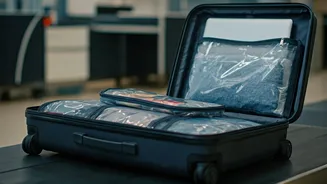
For those who prefer the sophistication of a tote or the convenience of a carry-on suitcase, organization is key. Choose totes with built-in padded sections specifically for laptops, offering multiple compartments to keep all your essentials tidy. Look for water-resistant materials for added protection. Similarly, carry-on suitcases with integrated front laptop pockets are invaluable. This feature allows for quick removal and insertion of your device without having to unpack your entire suitcase. Such designs ensure your laptop is secure, easily accessible, and doesn't impede the screening process, making travel significantly less stressful and more efficient, especially for longer trips.
The Laptop's Security Role
The primary reason bags are flagged at TSA is often a misplaced or improperly positioned laptop. While some airports now allow laptops to remain in bags, it's still crucial to have a bag that facilitates easy removal. If a laptop obstructs the view of other items on the X-ray, security personnel need to remove it quickly and carefully. Avoid bags that unfold completely, as these can stack electronics, hindering clear visibility for scanners and potentially causing delays. A carry-on with a dedicated, easily accessible laptop compartment is ideal, simplifying the process for both you and the security agents, ensuring a smoother passage through checkpoints.
Cord Chaos Control
Dedicated laptop compartments should strictly house your laptop. Attempting to store cords, chargers, and other accessories within this space can lead to significant delays. These items can obscure the laptop on the X-ray, prompting additional inspection. The solution is a separate cord organizer. Invest in a small pouch or case specifically for your electronic accessories. This keeps everything contained, easily locatable, and prevents obstruction in your main laptop compartment. Whether you prefer a vertical or horizontal design, a dedicated organizer not only expedites security screening but also maintains overall bag organization, ensuring you can quickly find your charger without any hassle.