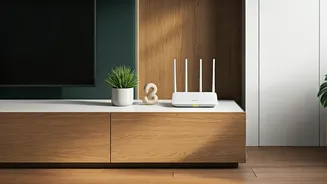








Central is Key
Imagine your Wi-Fi router as the sun, casting its rays across your home. To ensure even coverage, positioning your router centrally is paramount. This
means aiming for a location that's as close as possible to the heart of where you use the internet the most. Avoid tucking it away in a corner or a closet, as walls, furniture, and other obstacles can severely weaken the signal. Think of it like a lighthouse; its light needs a clear path to reach the ships at sea. Similarly, your router needs a clear path to reach your devices. Assess your home layout. Consider where you typically stream videos, work online, or game. Then, choose a central spot that allows the Wi-Fi signal to travel unobstructed to those areas. This strategic placement will significantly improve your overall Wi-Fi experience.
Height Matters, Too
Think about the physics of radio waves; they generally travel downwards. Placing your router on a high surface, like a shelf or a desk, allows the signal to spread more effectively throughout your home. Imagine trying to see over a crowd; the higher your vantage point, the better your view. The same principle applies to your Wi-Fi router. Elevating it above furniture and other obstructions gives the signal a better chance to reach all corners of your living space. Avoid placing the router on the floor or in a low-lying position. Experiment with different heights to find the sweet spot that provides the best coverage. A slightly elevated position can drastically improve the performance of your Wi-Fi network, particularly in multi-story homes. This strategic elevation helps to overcome the natural tendency of the signal to travel downwards, optimizing the reach of your wireless network.
Obstacles Are Enemies
Your Wi-Fi signal is a sensitive traveler, easily disrupted by various obstacles. Thick walls, metal objects, mirrors, and even certain appliances can weaken or block the signal. The best practice is to identify these potential signal blockers and keep the router away from them. For example, avoid placing the router near a microwave oven, as it can interfere with the Wi-Fi signal. Similarly, mirrors and metal objects can reflect and distort the signal, leading to reduced performance. Observe the areas of your home where the Wi-Fi signal is consistently weak. Identify what obstructions are present in between the router and your devices and consider moving the router or removing the obstructing items. By minimizing the interference, you can ensure a stronger and more stable Wi-Fi connection, leading to a smoother online experience.
Testing and Refinement
Optimizing Wi-Fi router placement is often a process of trial and error. After placing your router, use a Wi-Fi analyzer app on your smartphone or tablet to measure the signal strength in different parts of your home. These apps can provide valuable insights into where the signal is strong and where it is weak. Based on the app's findings, you can adjust the router's position to maximize coverage. Consider moving the router a few feet in either direction, raising or lowering it, or relocating it to a completely different spot. Keep testing and refining until you achieve the desired results. Remember that the ideal placement may vary depending on the layout of your home and the materials used in its construction. Don't be afraid to experiment until you find the perfect balance that delivers consistently fast and reliable internet speeds throughout your home. Regular testing will help you fine-tune the placement for optimal performance.
Beyond Placement Alone
While proper router placement is crucial, it's not the only factor affecting your Wi-Fi performance. Consider other elements, like the age of your router and the number of devices connected. Older routers may not support the latest Wi-Fi standards and may struggle to handle multiple devices simultaneously. Ensure your router is up-to-date with the latest firmware to maximize its performance. Limit the number of devices connected to your Wi-Fi network if you experience slow speeds. Consider using a wired Ethernet connection for devices that require a stable and high-speed connection, such as gaming consoles or smart TVs. Upgrading your router to a newer model that supports the latest Wi-Fi standards can also significantly improve speeds and coverage. Finally, investigate other potential sources of interference, such as other wireless devices or neighboring Wi-Fi networks, and adjust your router's settings or channel to minimize interference and optimize your overall online experience.