







Integrated Editing Capabilities
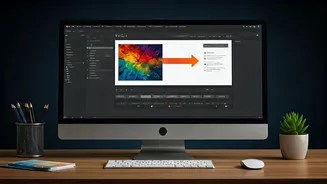
The main feature that the update brings is the capacity for corporate customers to directly edit documents and manage files without having to leave the Gmail
interface. This change streamlines the workflow by allowing users to stay within their email environment while working on documents, spreadsheets, or presentations. The integration is expected to reduce the time spent switching between various applications. Users can access and modify files more efficiently. This will translate into increased productivity and reduced interruptions during work processes, which supports a more seamless and focused work experience. The integration facilitates real-time collaboration. This allows teams to work on the same documents at once, promoting quick and effective communication. This feature is important for businesses wanting to improve how their teams collaborate on tasks and stay productive.
Impact on Workflow
This update from Gmail will have a significant impact on how corporate workflows are handled. The ability to edit files and documents directly within the email client decreases the number of clicks required to get to and from different apps, which ultimately saves time. This reduction in context-switching means less mental effort is spent navigating different programs. This can enhance focus and make it easier to complete tasks. It streamlines the process by keeping everything in one place, which means easier organization and file management. These efficiency enhancements can lead to a more efficient and productive work environment. By making it easier to manage and collaborate on documents, the features boost efficiency and improve the quality of teamwork. The streamlined approach is anticipated to reduce delays, simplify processes, and overall improve work performance for corporate teams.
Enhancing Corporate Efficiency
The primary goal of the new features is to improve operational efficiency for businesses. The integrated file management tools simplify how people interact with documents, minimizing the chance of errors that come from using several applications. This integration ensures that the most recent versions of documents are used, decreasing confusion and promoting uniformity across teams. The ability to collaborate on documents directly within Gmail also supports rapid feedback and quicker decision-making. This means that teams can manage projects more effectively. The reduction in the need for external applications also helps to lower IT expenses and simplify software administration, which benefits corporations that want to optimize their resources. By offering a comprehensive suite of functions, Gmail attempts to be a central work hub. This enables a more seamless and productive method of doing business, which is especially important for corporate clients.