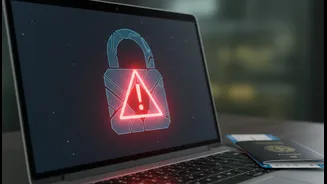








What That Padlock Really Means
The padlock icon, along with a URL starting with 'https://', indicates that the connection between your computer and the website is encrypted. This means that any data you send—like your name, address, or passport number—is scrambled during transit, preventing
hackers from easily intercepting and reading it. For years, this was a reliable sign of a legitimate site, as scammers rarely bothered with the cost and effort of setting up encryption. However, obtaining these security certificates has become easy and often free, so scammers now routinely use them on their fraudulent websites to appear trustworthy. Today, nearly half of all phishing sites feature the padlock icon. It proves your connection is private, but it says nothing about the character of the person on the other end.
Red Flag 1: Check the Web Address Carefully
The single most effective way to protect yourself is to scrutinise the website's URL. Scammers create sites that look almost identical to official government portals but use slightly altered web addresses. Look for subtle misspellings, extra words, or the wrong domain suffix. For example, a fake site might use '.org' or '.com' instead of the official '.gov.in' used for Indian government services. Be wary of addresses like 'india-visa-gov.in' or 'e-visaindia.com', which are known fakes. The only official portal for applying for an Indian e-Visa is 'indianvisaonline.gov.in'. For other countries, always find the official portal by starting at the website for that country's embassy or consulate. Never click on links in unsolicited emails or SMS messages; type the official URL directly into your browser.
Red Flag 2: Unprofessional Design and Urgent Demands
Official government websites are typically functional, but not always flashy. Scammers, on the other hand, might create very slick-looking sites or, conversely, sites riddled with errors. Look for poor grammar, spelling mistakes, or low-quality images and logos. Another major red flag is the creation of false urgency. Scammers often pressure you with claims of “guaranteed visa approval,” “fast-tracked processing for an extra fee,” or threats of deportation or arrest if you don't pay immediately. Government agencies rarely communicate through aggressive phone calls and will never demand immediate payment via untraceable methods like personal UPI IDs, wire transfers, or gift cards. Any promise of a guaranteed positive outcome is a classic sign of fraud.
Red Flag 3: Suspicious Payment Methods
Official visa application portals use secure, authorized payment gateways integrated into their system. These are professional platforms designed to handle credit or debit card transactions securely. If a website asks you to pay through a personal UPI ID, a QR code, a crypto wallet, or a direct bank transfer to an individual's account, stop immediately. These are untraceable payment methods favoured by fraudsters because the money is nearly impossible to recover once sent. Be skeptical of unusually high fees or demands for full payment upfront before an application is even processed. Always compare the fees listed with the official amounts published on the embassy's website.
How to Stay Safe: Your Verification Checklist
The rise in visa scams across India has led to significant financial loss and distress for countless applicants. To ensure you are on a legitimate portal, follow these steps. First, always find the correct website address from the official embassy or consulate page for your destination country. Second, manually type this URL into your browser instead of clicking on links from emails or search engine ads. Third, before entering any information, verify the domain name—for example, '.gov' for US sites or '.gov.in' for Indian ones. Finally, if you have any doubt, use tools like Google's Safe Browsing checker to get a safety rating for the site. If an offer seems too good to be true, it almost certainly is.