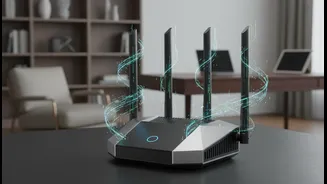










The Wake-Up Call Is Here
Security alerts are becoming an unfortunate part of our connected lives. Recently, government agencies warned of cyber actors targeting poorly configured home network devices, especially routers, to exfiltrate data and facilitate other malicious activity.
These aren't just threats to large corporations; they are direct risks to your home network. Attackers constantly scan for vulnerable devices, and an insecure router is an open invitation. This makes understanding and securing your home network more critical than ever.
Step 1: Banish Default Passwords
The single most critical step is to change the default login credentials for your router. Many routers ship with generic usernames and passwords like "admin" and "password". Keeping these defaults is like leaving the key to your house under the doormat. These credentials are often publicly listed online, making them the first thing an attacker will try. Log in to your router’s administrative interface—usually by typing an IP address like 192.168.1.1 into your browser—and set a strong, unique password immediately. While you are there, create a strong and separate password for your Wi-Fi network itself.
Step 2: Always Update Your Firmware
Your router's firmware is the software that controls it. Manufacturers regularly release updates that patch security holes and fix bugs. Failing to update leaves your network vulnerable to known exploits. Some modern routers update automatically, but many require you to log in and manually check. Make a habit of checking for firmware updates every month or so. If your router is several years old and no longer receives updates—a status known as "End of Life"—it's time to replace it.
Step 3: Strengthen Wi-Fi Encryption
Your Wi-Fi signal itself needs to be secure. In your router settings, ensure you are using the strongest encryption available. Currently, that standard is WPA3. If some of your older devices aren't compatible, WPA2-AES is the next best option and is still considered secure. These protocols encrypt the traffic between your devices and the router, preventing anyone nearby from snooping on your activity. Avoid older, weaker standards like WEP or the original WPA, as they can be cracked easily.
Step 4: Disable Risky Conveniences
Features designed for convenience can sometimes create security holes. One of the biggest culprits is Universal Plug and Play (UPnP). It allows devices like gaming consoles and smart TVs to automatically open ports on your router, but it has no authentication, meaning malware on one device could potentially expose your entire network. For most users, it's safer to disable UPnP. Another feature to disable is remote administration, which allows router settings to be changed from outside your home network. Unless you have a specific need for it, turn it off.
Step 5: Create a Guest Network
Most modern routers allow you to create a separate guest Wi-Fi network. This is an excellent security practice. A guest network provides internet access to visitors but keeps them isolated from your main network and all the sensitive devices on it, like your computers and network storage. This prevents a guest's device, which might be compromised without their knowledge, from posing a threat to your primary devices. Think of it as a digital waiting room, separate from the private areas of your home.