






The High Cost of Constant Pings
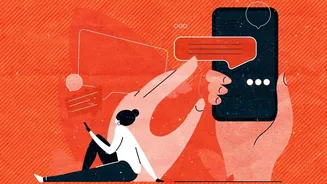
Each notification, no matter how trivial, hijacks your attention. Research shows it can take over 23 minutes to fully refocus on a task after being interrupted. This constant stream of alerts keeps our brains in a low-level state of alertness, triggering
our stress response system and increasing levels of cortisol, the stress hormone. Over time, this digital overload doesn't just fracture our focus; it leads to mental fatigue, heightened anxiety, and a feeling of being perpetually overwhelmed. What starts as a desire to stay informed can quickly turn into an unconscious habit that leaves us feeling drained and anxious.
From Informed to Overwhelmed
There's a fine line between being a well-informed citizen and falling into the trap of 'doomscrolling'—the act of compulsively scrolling through endless streams of bad news. Our brains are wired to look out for threats, a survival instinct that modern news algorithms exploit. This creates a feedback loop: distressing news triggers anxiety, and the novelty of new information provides a temporary dopamine hit, reinforcing the checking behavior. The result is often not a greater sense of preparedness, but a feeling of helplessness and emotional exhaustion. Recognizing this pattern is the first step toward breaking it.
How to Disable News Alerts: A Practical Guide
Reclaiming your focus is about being intentional. By turning off non-essential notifications, you decide when you engage with the news, rather than letting the news dictate your day. This isn't about ignoring the world, but about consuming information on your own terms. Here’s how to do it without missing what truly matters, like calls or messages from family. For iPhone/iOS Users: Go to Settings > Notifications. You will see a list of all your apps. Scroll down to your news apps (e.g., BBC News, The Guardian, Apple News). Tap on each one and toggle off “Allow Notifications.” For a less drastic measure, you can disable Lock Screen alerts or banners while keeping them in the Notification Center for later review. For Android Users: Swipe down from the top of your screen and tap the gear icon to open Settings. Go to Notifications > App notifications. Here, you'll see a list of your apps. Find the news apps you want to silence, tap on them, and toggle off all notifications. On some phones, you can long-press a notification as it appears and directly access the settings to turn off future alerts from that app.
Choose Your News Windows
Disabling alerts doesn't mean disconnecting. Instead, it encourages a more mindful approach. Try setting specific, limited times to check the news, such as for 15 minutes in the morning and 15 minutes in the evening. Avoid checking headlines first thing after you wake up or right before bed, as this can disrupt your mood and sleep patterns. You can replace the automatic checking habit with a scheduled, intentional one. This simple boundary transforms news consumption from a reactive, anxiety-fueled habit into a controlled, informative activity.
The Benefits of a Quieter Phone
What happens when the constant pings stop? People who reduce their notification load report significant benefits. With fewer interruptions, focus and concentration improve dramatically. You'll likely experience a more stable mood and lower baseline stress levels. This mental quiet allows for deeper thinking and more meaningful engagement with the world around you. You'll have more time and mental energy for hobbies, physical activity, and face-to-face interactions with friends and family, all of which are proven to boost well-being. You may also notice improved sleep quality, as you’re less likely to be exposed to stimulating or stressful content before bed.