






Understanding the Digital Life Certificate
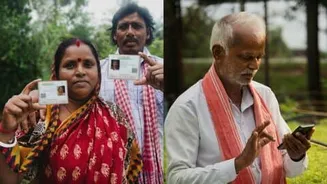
Every year, pensioners must provide a 'life certificate' to their Pension Disbursing Agency (PDA), such as a bank or post office, to prove they are still alive and eligible to receive their pension. The Digital Life Certificate (DLC), or Jeevan Pramaan,
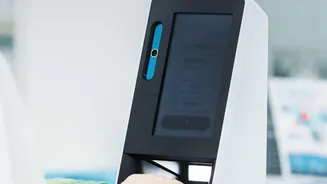
transformed this process. Instead of requiring a personal visit, it uses an Aadhaar-based biometric or face authentication system to generate proof of life digitally. This digital record is then automatically sent to the pensioner's bank or pension agency, eliminating the need for physical submission and reducing hardship, especially for the elderly and infirm.
The Golden Ticket: Your Pramaan ID
When you successfully generate a DLC, the system creates a unique 10-digit number called the Pramaan ID. This ID is sent to your registered mobile number via SMS and is the single most important piece of information on your receipt. Think of the Pramaan ID as your transaction tracking number. It's the key that allows you to access your certificate online, check its status, and provide undeniable proof of your submission. Without this ID, you are left in the dark about what happens to your certificate after you've completed the authentication process. It is the official link between your submission and the pension system.
Track Your Certificate from 'Submitted' to 'Accepted'
Saving the receipt gives you the power to monitor your DLC's journey. Using your Pramaan ID, you can log in to the official Jeevan Pramaan portal at any time to check the status of your certificate. The portal will show you whether your certificate has been successfully processed by your PDA or if it has been rejected. Knowing the status is critical. A successful submission doesn't automatically mean it has been accepted by your bank. The PDA still needs to process and approve it. The receipt empowers you to verify this final, crucial step, ensuring your pension for the next year is secure.
Your First Line of Defence Against Pension Delays
One of the most common reasons for a sudden stoppage of pension is a problem with the life certificate submission. Perhaps the certificate was never successfully uploaded, or it was rejected due to a data mismatch. If your pension doesn't arrive on time, your first call will be to your bank. The receipt, with its Pramaan ID and timestamp, is your concrete evidence. It proves exactly when and where you submitted your certificate. This shifts the burden of proof, allowing the bank to investigate the system issue rather than questioning whether you completed the process at all. It's your official record in case of any dispute or delay.
Troubleshooting Rejections and Errors
A DLC can be rejected for several reasons, most commonly a mismatch in details like your name, PPO number, or bank account number between what you submitted and what the bank has on file. If you receive an SMS informing you that your certificate was rejected, the first step advised by the Jeevan Pramaan portal is to contact your PDA. Your receipt and Pramaan ID are essential for this conversation. Once you know the reason for the rejection, you can generate a fresh DLC with the corrected information. The old receipt provides a reference point for what went wrong, helping you fix it correctly the second time.
How to Safely Store Your Receipt
Since the DLC is generated digitally, the receipt you get is often a PDF file or a screenshot. The best practice is to save it in multiple places. Save the PDF copy to your computer and your smartphone. Email a copy to yourself and perhaps to a trusted family member. You can also send the screenshot or PDF via WhatsApp to your children for safekeeping. For those who prefer a physical record, it is wise to take a printout and keep it in the same file where you store other important documents like your PPO and bank passbook. This simple habit of creating backups ensures you can access this vital proof whenever you need it.