


In the world of digital security, 'encryption' and 'two-factor authentication' are often used interchangeably. While both are vital for protecting your email, they perform entirely different jobs. Let's clear up the confusion for good.
The Locked Letter: What Is Encryption?
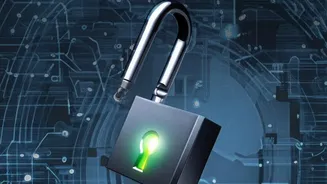
Think of encryption
as a secret code for your messages. When you send an email, encryption scrambles its contents into an unreadable format called ciphertext. Only the intended recipient, who holds the correct 'key', can unlock and read the original message. This process protects the confidentiality of your information as it travels across the internet and while it's stored. If a cybercriminal were to intercept your email mid-transit, they would see a jumble of nonsensical characters instead of your sensitive data. There are two main types. Transport Layer Security (TLS) protects the email while it's moving between servers, like a secure courier service. End-to-end encryption (E2EE) is even stronger; it encrypts the message on the sender's device and can only be decrypted by the recipient, meaning not even your email provider can read its contents.
The Double-Locked Door: What Is Two-Factor Authentication?
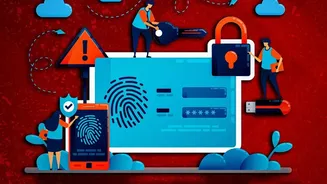
Two-factor authentication, or 2FA, has nothing to do with scrambling your message content. Instead, it’s all about protecting access to your account itself. Think of it as a second lock on your digital front door. Your password is the first lock ('something you know'). 2FA adds a second, separate verification step to prove you are who you say you are before granting access. This second factor is typically 'something you have', like a one-time code sent via SMS or generated by an authenticator app on your phone, or a physical security key you plug into your computer. It can also be 'something you are', like a fingerprint or face scan. Even if a hacker steals your password, they are stopped at the second step because they don't have your phone or your fingerprint.
Different Jobs, Same Ultimate Goal
Here is the fundamental difference: Encryption protects the content of your emails, while 2FA protects access to your email account. Encryption ensures that even if a message is stolen, its data remains confidential and unreadable. 2FA ensures that even if your password is stolen, a criminal cannot log in to your account to read, send, or delete your emails. One secures the letter; the other secures the mailbox. They are not interchangeable because they solve two completely different security problems. A strong password and 2FA can't stop someone from reading an unencrypted email if they manage to intercept it. Likewise, perfectly encrypted emails are useless if an attacker gets into your account because of a weak password and no 2FA.
Why You Absolutely Need Both
Relying on only one of these security measures leaves a significant gap in your defences. Imagine you have 2FA enabled but don't use encryption. An attacker could intercept an email containing your bank details while it travels across the internet. They wouldn't need your password to read it. Now, imagine the reverse: you use an encrypted email service but have a simple, reused password and no 2FA. A hacker could use a password stolen from another data breach to log in to your account. While they might not be able to read your older, encrypted messages, they would have full control of your account. They could read all new, incoming unencrypted emails and send malicious emails to your contacts, effectively destroying your digital reputation. Using both encryption and 2FA together closes these gaps, creating a robust shield around both your account and your communications.
Putting It All Into Practice
The good news is that implementing both is easier than ever. Start by reviewing your email provider's security settings. Almost all major services like Gmail, Outlook, and Yahoo offer free 2FA options. Enable it immediately, and if possible, choose an authenticator app over SMS, as it is more secure against phishing attacks. Next, consider your encryption needs. Many email providers use TLS encryption automatically to protect messages in transit. For highly sensitive information, look into services that offer user_friendly end_to_end encryption. Some providers have this built_in, while others may require a third_party add_on. Taking these two simple steps elevates your email security from a single, breakable lock to a multi_layered defence system.