








Beyond the Pantry Car
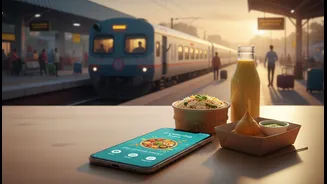
For decades, train travel food meant two choices: the often-monotonous pantry car menu or the risky gamble of station vendors. Today, a digital revolution has transformed how passengers eat. Thanks to a host of food delivery apps, you can now order hot,
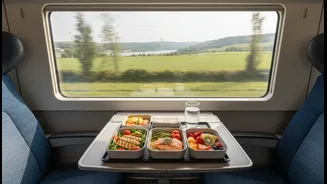
fresh meals from FSSAI-approved restaurants and have them delivered directly to your seat. This shift offers incredible variety, better hygiene, and the convenience of getting exactly what you want, from a comforting thali to a brand-name pizza. Whether you're a student on a budget, a family with picky eaters, or just someone craving a taste of local cuisine, these apps put a virtual food court at your fingertips. The challenge is no longer a lack of options, but knowing how to navigate the system effectively.
The Main Players: Official and Aggregators
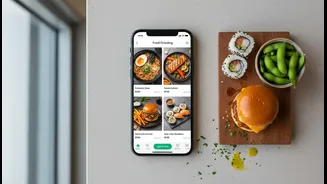
Your primary and most reliable choice is IRCTC's official 'Food On Track' app, also known as eCatering. As the official service of Indian Railways, it offers a high degree of reliability and is integrated directly with their system. Alongside the official app, several authorized aggregators have become popular, including RailRestro, Zoop, and RailYatri. These apps partner with IRCTC and connect you to a wide network of local restaurants at stations across the country. While IRCTC's own app is a safe bet, aggregators sometimes offer a wider restaurant selection or unique deals. For a beginner, starting with the official 'Food On Track' app is recommended. All authorised services ensure that the partner restaurants meet food safety standards.
Your Step-by-Step Ordering Guide
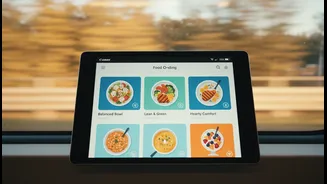
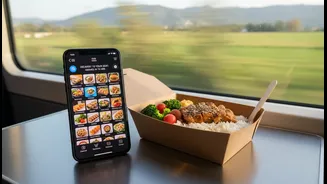
The process is surprisingly simple and consistent across most apps. First, download your chosen app and keep your 10-digit PNR number handy. Here’s how it typically works: 1. Enter PNR: Open the app and input your PNR number. The system will automatically detect your train, route, and journey details. 2. Select a Station: The app will show you a list of upcoming stations where delivery is available. Choose a station where your train has a sufficient halt time (at least 5-10 minutes). 3. Choose a Restaurant and Meal: Browse through the list of available restaurants for your selected station. You can view menus, check ratings, and see prices. Add your desired items to the cart. 4. Confirm Details: Double-check your order, and confirm your coach and seat number. This is crucial for the delivery person to find you. 5. Make Payment: Most apps offer multiple payment options, including UPI, credit/debit cards, and net banking. Many also provide a Cash on Delivery (COD) option for added peace of mind. 6. Track and Receive: You can track the status of your order in the app. The delivery person will bring your sealed food packet directly to your seat when the train arrives at the designated station.
Tips for Families and Students
Travelling with family or as a student comes with specific needs. For families, especially with children, hygiene and food suitability are paramount. When ordering, look for dishes that are less spicy, like idlis, dal with plain rice, or paneer dishes. Many apps allow you to place bulk orders or order group combos, which can be both convenient and cost-effective. For students, budget is often key. Look for apps that offer discounts or special coupon codes. Simple, filling meals like a chole-rice combo or an aloo paratha combo are often available at very reasonable prices. Comparing prices across a few restaurants before ordering can help you find the best deal.
Avoiding Common Problems
While the system is convenient, issues can occur. The most common problems include late or missed deliveries, especially if a train's schedule changes suddenly. Another issue can be poor network connectivity inside the train, making it difficult to place an order mid-journey. To avoid these pitfalls, plan ahead. Order your meal well in advance, preferably before your journey begins or when you have a strong network signal. Always choose a delivery station that is at least two to three hours away to give the restaurant ample time. Finally, if an order is of high value, some vendors might require prepayment to confirm it. Always double-check your order confirmation and keep the customer support number handy just in case.