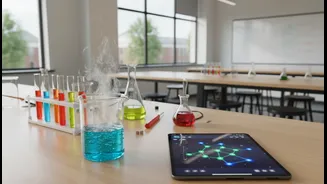










From Digital Textbooks to Digital Labs
For years, the promise of education technology was simply to digitize the existing classroom. Textbooks became PDFs and worksheets became online forms. Today, the ambition is much greater. The focus has shifted to using technology to enable entirely new
ways of teaching, particularly in science, technology, engineering, and maths (STEM) subjects. Experiment-led learning, where students actively investigate, question, and build, is at the heart of this transformation. Instead of just reading about a concept, students get to experience it. This is where a platform like Google Classroom moves beyond basic organization to become a practical toolkit for the modern, curious classroom.
Structuring the Scientific Method
A successful experiment needs a clear structure, and this is an area where Google Classroom provides foundational support. Using the 'Classwork' tab, teachers can outline the entire experimental process, from hypothesis to conclusion. They can create assignments with detailed, step-by-step instructions, attach resource materials like articles or videos, and set clear deadlines. For complex projects, teachers can use templates in Google Docs or Slides that guide students through a lab report, ensuring they document their procedure, observations, and analysis systematically. Recent updates even allow educators to tag coursework with specific learning standards, providing a clear link between activities and curriculum goals for students and parents.
The Collaborative Digital Workbench
Science and innovation are rarely solo pursuits; they are collaborative by nature. Google Classroom excels at fostering this sense of teamwork. By integrating seamlessly with Google Docs, Sheets, and Slides, the platform allows groups of students to work on the same document, spreadsheet, or presentation in real-time. One student can be inputting data into a Google Sheet, while another analyzes it, and a third writes up the findings in a shared Google Doc. This mimics the collaborative environment of a real research lab, teaching invaluable teamwork skills alongside scientific principles. Teachers can use features like discussion boards to create forums where students share ideas, ask questions, and provide peer feedback on their experiments.
Integrating Virtual Labs and Simulations
Not every school has the resources for a fully equipped physics or chemistry lab. This is where Google Classroom's ability to integrate with third-party applications becomes a game-changer. Teachers can easily link to and assign activities from a vast library of free, interactive simulations from providers like PhET from the University of Colorado Boulder. These high-quality simulations allow students to experiment with variables—like changing gravity in a virtual solar system or adjusting the voltage in a circuit—in a safe, repeatable, and accessible way. By sharing these simulations directly as an assignment, teachers can bring complex concepts to life, even without physical equipment.
Streamlining Data Collection and Analysis
A core part of any experiment is collecting and interpreting data. Google Forms, which integrates directly with Classroom, provides a simple yet powerful tool for this. Teachers can create custom forms for students to input their observations and measurements. This data is automatically compiled into a Google Sheet, ready for analysis. This process not only keeps data organized but also provides a practical introduction to data literacy. Students can learn to create charts, identify trends, and draw evidence-based conclusions from the information they've gathered themselves, turning abstract numbers into meaningful insights.
Personalised Feedback and Iteration
Experimentation is a process of trial, error, and refinement. Google Classroom's feedback tools support this iterative loop. Teachers can leave private comments on assignments, offering targeted guidance to individual students or groups as they work. This allows for a continuous dialogue where a teacher can prompt a student to reconsider their methodology or dig deeper into their analysis. The latest AI-powered features, like the Gemini integration, further enhance this, with tools that can help educators create personalised learning aids and quizzes based on class materials, freeing up their time to focus on higher-level guidance.