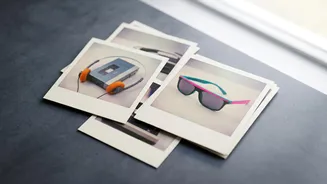

What Defines the 80s Photo Aesthetic?
Before diving into the technology, it helps to know what makes a photo feel authentically '80s. The look is more than just a simple filter; it's a combination of specific visual cues that evoke the era's unique style. Think of the classic school yearbook
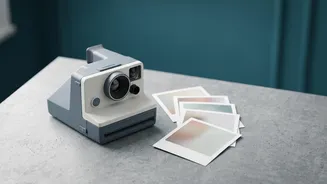
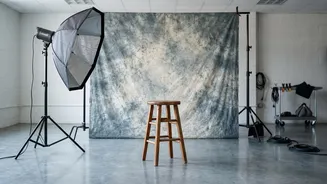
photo or a candid family snapshot. Key elements include a soft focus, visible film grain, and a distinct color palette that feels slightly faded compared to today's ultra-sharp digital images. Fashion is also crucial, with voluminous hair, bold makeup, and distinct clothing like denim jackets, oversized blazers, or colourful sarees instantly setting the scene. The goal is to replicate the entire vibe, from the texture of an analogue camera print to the specific backdrops seen in old photo studios or family living rooms.
The Ultimate ChatGPT Prompt for the 80s Look
Ready to create your own? The magic lies in giving the AI clear, detailed instructions. While many apps offer one-click filters, using ChatGPT with DALL-E 3 allows for incredible customization. Start by uploading a clear, front-facing photo of yourself. Then, use a detailed prompt as your starting point. Here is a powerful and versatile prompt you can adapt: "Transform my uploaded photo into a classic 1980s studio portrait, keeping my face, identity, and facial structure exactly the same. Restyle my hair and outfit to be authentically 1980s. Place me against a simple, mottled studio backdrop. Use soft portrait lighting, gentle shadows, subtle 35mm film grain, and slightly faded colours to replicate the texture of an old printed photograph. Ensure the final image looks realistic, not like a modern photo with a filter."
How to Customise and Refine Your Prompt
The real fun begins when you start tweaking the prompt to create different scenes. The key is to be specific. Instead of just saying "80s photo," guide the AI with details. Want a Bollywood-inspired look? Add terms like "glamorous Bollywood heroine," "traditional silk saree," and "warm vintage studio lighting." For a more casual feel, you could ask for a "candid photograph on a busy street with vintage cars" or a "snapshot at a roller rink with coloured lights." You can even specify a particular context, like a "1980s Kerala college portrait" or a "Punjab-style family photo." The most important instruction is to repeatedly ask the AI to preserve your facial features, skin tone, and identity to ensure the final image still looks like you.
Essential Keywords for Authentic Results
To elevate your images, sprinkle in technical and stylistic keywords that prompt the AI to produce more authentic results. For the camera and film effect, use phrases like "35mm film grain," "Kodak Gold 200 film tones," "soft focus," "slight colour fading," and "analogue camera imperfections." To control the lighting, try terms like "direct camera flash," "soft portrait lighting," or "warm afternoon light." For the setting, you can specify backdrops like "mottled pastel studio backdrop," "hand-painted pastoral garden," or even a "crowded urban neighbourhood with hand-painted signs." Don't be afraid to combine these terms to create a rich, detailed scene that the AI can interpret.
What If the First Result Isn't Perfect?
AI image generation is powerful, but it sometimes requires a bit of fine-tuning. If your first result looks a little off—perhaps the face doesn't quite match or the hair is too exaggerated—you can give ChatGPT corrective feedback. Simply reply with clarifying instructions. For example, you can say, "Bring my face closer to the original photo, especially my eyes and smile, but keep the outfit and background." If the style is too over-the-top, try asking it to be "more understated, like an ordinary weekend snapshot from the era." By making small, targeted revisions, you can steer the AI toward the perfect retro portrait you have in mind.