

What is the 80s Photo Trend?
This trend involves using AI image generators, most notably DALL-E 3 within ChatGPT, to transform modern photos into pictures with a distinct 1980s aesthetic. Unlike a simple filter, the AI doesn't just overlay grain or fade colours; it completely reimagines
the image, changing clothing, hairstyles, and backgrounds to match the era. Users are creating everything from classic studio portraits and high-school yearbook photos to candid family album snapshots and even retro Bollywood-style pictures. The key is a detailed text prompt that guides the AI to produce a convincingly vintage look while keeping your facial features recognizable.
What You Will Need
Creating your own retro portrait is a relatively simple process. All you need is a subscription to ChatGPT Plus, which provides access to its image generation capabilities powered by DALL-E. You will also need a clear, well-lit photograph of yourself or the person you want to transform. A front-facing photo where your facial features are easily visible works best. Some other dedicated AI image generator tools and apps also offer specific 1980s-style templates, but using ChatGPT gives you maximum control to customize the final result.
How to Craft the Perfect Prompt
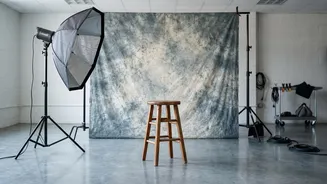
The magic is all in the prompt. A great prompt is specific and provides instructions on four key elements: subject identity, styling, background, and photographic quality. First, always instruct the AI to preserve your recognisable face, facial features, and identity from the uploaded photo. Next, describe the styling. Mention period-appropriate details like 'voluminous hair', 'high-waisted jeans', 'denim jacket', or 'statement jewellery'. Then, set the scene by describing the background, such as a 'mottled blue studio backdrop', a 'neon-lit arcade', or a 'vintage living room'. Finally, add details about the camera and film to make it feel authentic. Use phrases like 'subtle 35mm film grain', 'slightly faded colours', 'soft focus', and 'the natural imperfections of an old printed photograph'.
Example Prompts to Get You Started
You don't need to write a long, complex prompt to get good results. Here are a few effective examples you can adapt. For a classic yearbook photo, try: "Transform my photo into a realistic 1980s school photograph. Keep my face and features unchanged. Give me an authentic 1980s hairstyle and outfit, and place me against a simple studio backdrop. Use the look of a vintage film camera with slightly faded colours and natural film grain." For a candid street scene: "Recreate my photo as a 1980s street-style candid. Keep my facial features intact. Give me decade-appropriate clothes and place me on a busy street with vintage cars and old shopfronts. Use natural daylight, soft focus, and muted film colours." For a Bollywood-inspired portrait: “Turn this photo into an authentic 1980s Bollywood film-inspired portrait. Retain my natural facial features and give me period-appropriate Indian clothing, hairstyle, and accessories, with warm studio lighting and slightly faded colours.”
Refining Your Retro Masterpiece
The first image the AI generates might not be perfect, and that's okay. The process is often iterative. If the result isn't quite right, you can refine it by giving ChatGPT further instructions. For example, if you like the outfit but the face isn't quite right, you can ask it to "Bring my face closer to the original photo, keeping the outfit and background the same." If the styling is too exaggerated, you can request to "Make the hair and clothing more understated, like an ordinary snapshot." Experiment with small, specific changes to things like lighting, camera angles, or accessories until you land on a photo you love.