







Beyond Just Saving Time
The real benefit of a smooth security screening is not just the five or ten minutes you might save, but the reduction in stress. Airports can be anxiety-inducing environments, and the security checkpoint is often the peak of that tension. When you are
fumbling for a laptop buried at the bottom of a packed bag, you hold up the line and draw unwanted attention, increasing your cognitive load. By being prepared, you treat the security check as a predictable, calm procedure rather than a chaotic hurdle. You are in control, the process is efficient, and you can move on to your gate with a clear mind, ready for your flight. This mental shift from friction to flow can dramatically improve your entire travel experience before you even board the plane.
The Art of the Electronics Tray
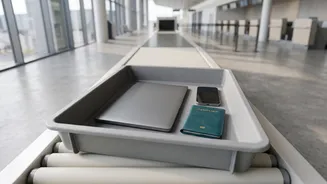
The most common slowdown at Indian airport security involves electronics. According to the Bureau of Civil Aviation Security (BCAS), all large electronic items must be removed from your carry-on bag and placed in a separate tray for X-ray screening. This includes laptops, tablets, large cameras, and power banks. The reason is simple: these dense items can obscure the view of other objects in your bag on the X-ray monitor. To make this effortless, pack these items last, right at the top of your carry-on, or in an easily accessible outer pocket. A laptop sleeve is great for protection, but ensure the laptop can be removed from it quickly. Power banks, which are only allowed in hand baggage, should also be placed in the tray. Tangled charging cables can also create clutter on the scanner image, so bundle them neatly with a tie or in a small pouch.
New Scanners, Old Habits
You may have heard about new, advanced CT (Computed Tomography) scanners being deployed at some airports globally. These machines create a 3D image of your bag's contents, and are sophisticated enough to allow you to leave electronics and liquids inside. While this technology is gradually being introduced, the vast majority of security lanes at Indian airports still use conventional X-ray systems that require you to unpack your devices. The golden rule is to follow the instructions of the security personnel and the signage at your specific lane. If a lane is equipped with the new technology, it will be clearly indicated. Until these scanners become universal, it is best to prepare for the standard procedure. If you are unsure, simply take your laptop out; you lose nothing by doing so.
Your Papers, Please
Fumbling for documents is the other major point of friction. Even before you get to the screening trays, you will need to present your boarding pass and a valid photo ID to enter the terminal and again at the security point. Instead of digging through a backpack, keep these essential items in an accessible pocket of your jacket or a small, dedicated travel wallet. While digital boarding passes on your phone and IDs in apps like DigiLocker are widely accepted, technology can fail. A low battery or a network issue can cause significant delays. It is always wise to carry a physical printout of your boarding pass and your original ID card as a reliable backup. This small step ensures you are prepared for any eventuality and can move through checkpoints without a digital hiccup.
Creating a Repeatable System
The key to consistently smooth airport experiences is to develop a repeatable system. Use the same bag or a bag with a similar layout for your travels. Designate specific pockets for specific items: one for your document wallet, one for your liquids pouch, and an easy-access compartment for your electronics. This muscle memory eliminates the need to think and search. Before you even leave for the airport, do a final check. Empty your pockets of coins, keys, and other metal objects, placing them inside your bag to be scanned. Wear shoes that are easy to slip on and off. The goal is to turn the entire security process into a simple, almost automatic routine, ensuring you and the passengers behind you have a quicker, more pleasant journey.