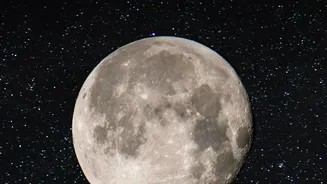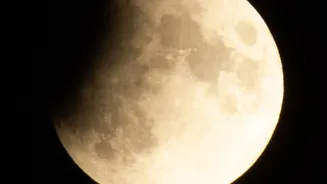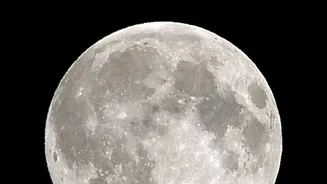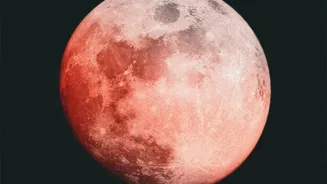




The Only Gear You'll Need
Forget heavy camera bags. For great lunar eclipse photos, you only need three things. First is your smartphone; most modern phones have surprisingly capable cameras. Second, and most importantly, is a tripod. Stability is essential for sharp night sky
photos, and even an inexpensive, basic tripod will prevent the camera shake that ruins long exposures. Finally, use your phone's self-timer or a Bluetooth remote to trigger the photo. Tapping the screen to take a picture can cause a slight jiggle, blurring the final image. A 2- or 5-second delay is all it takes to ensure a crisp shot.
Scout the Perfect Location
Where you shoot from is just as important as how you shoot. For the best results, find a spot with minimal light pollution. Getting away from city lights will make the sky darker and the eclipsed moon appear more vibrant. A local park, a field, or even a suburban backyard can work well. Check a weather app like Clear Outside before you go to ensure you'll have clear skies. Also, consider your composition. While a close-up of the moon is great, including an interesting foreground object like a tree, building, or landmark can create a more dramatic and unique photograph.
Master Your Smartphone's Pro Mode
The secret to a great moon photo lies in your phone's manual or 'Pro' camera mode. Automatic settings will almost always overexpose the moon, turning it into a bright, detail-less blob. Switch to Pro mode and get ready to adjust these three key settings: 1. ISO: This controls the camera's sensitivity to light. Set your ISO to its lowest possible value, like 50, 100, or 200. This minimizes digital noise and grain, keeping your photo clean and sharp. 2. Shutter Speed: This is how long the camera's sensor is exposed to light. A faster shutter speed freezes motion. Start with around 1/125s and adjust from there. As the eclipse deepens and the moon gets dimmer, you will need to use a slower shutter speed to let more light in. 3. Focus: Don't rely on autofocus. Tap on the moon on your screen to select it, then manually slide the focus to infinity (often represented by a mountain icon). This ensures the distant moon is perfectly sharp.
Adjusting for the Phases of the Eclipse
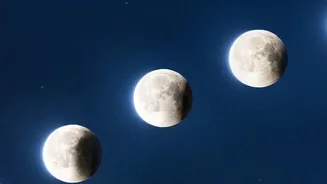
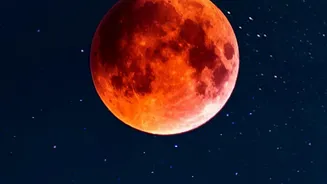
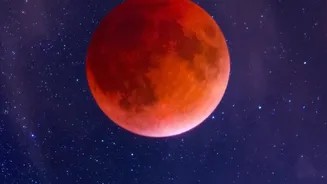
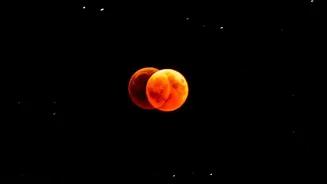
A lunar eclipse is a dynamic event, and your camera settings will need to change with it. At the beginning, when the moon is still bright, a low ISO and fast shutter speed (like 1/250s) will work well. As the Earth's shadow, or 'umbra', begins to cover the moon, it will become progressively darker. You'll need to compensate by slowing down the shutter speed or slightly increasing the ISO to keep the moon properly exposed. During totality, when the moon is at its dimmest and reddest, you may need a shutter speed of 1 to 5 seconds. This is why a tripod is non-negotiable. Don't be afraid to experiment and take lots of pictures—what's called 'bracketing' your exposures—to make sure you get the perfect shot.
Useful Apps for Aspiring Astrophotographers
If your phone's native camera app doesn't offer manual controls, several third-party apps can help. Apps like NightCap Camera (iPhone) or Deep Sky Camera (Android) are designed specifically for night sky photography and give you full control over ISO, shutter speed, and focus. Planning apps are also incredibly useful. Tools like PhotoPills or SkySafari can show you exactly where the moon will be in the sky at any given time, helping you plan your composition in advance. For those with recent Google Pixel phones, the built-in Astrophotography mode will automatically activate when on a tripod, capturing stunning long-exposure images with ease.
A Final Touch of Editing
Even a small amount of editing can make a good photo great. You don't need complex software; the editing tools built into your phone's gallery or free apps like Snapseed are perfect. Try making small adjustments to the brightness and contrast to make the moon pop. Slightly increasing the sharpness or 'structure' can help bring out the details on the lunar surface. Use a light touch—the goal is to enhance the natural beauty of the eclipse, not create something that looks artificial. Remember to avoid using your phone's digital zoom when shooting; it's always better to crop the photo later to get a closer view without losing image quality.