


The one-way recorded job interview is now a common screening tool. While talking to a camera without a live person feels unnatural, proper preparation can help you conquer the format and showcase your skills effectively. Here's how to succeed.
Master Your Technical Setup
Your first
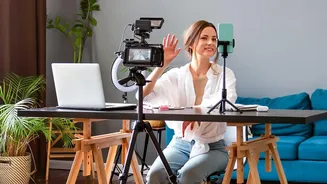
impression is a technical one. Before you even think about your answers, ensure your setup is professional. Choose a quiet, well-lit location with a neutral, clutter-free background. A plain wall is better than a distracting bookshelf or a messy room. Position your camera at eye level—stacking it on books is a simple fix—to create a direct and engaging angle. Good lighting is crucial; face a soft light source like a window or place a lamp behind your camera to illuminate your face clearly. Avoid sitting with a window behind you, which will cast your face into shadow. Finally, test your audio. Poor sound quality is one of the biggest mistakes candidates make. Use a headset with a microphone or conduct a test recording to ensure your voice is clear and free of echo.
Structure Your Answers with STAR
In a recorded interview, you can't rely on conversational back-and-forth. You must deliver complete, concise stories. The STAR method is the perfect framework for this. It stands for Situation, Task, Action, and Result. For every potential question, prepare an example that follows this structure. First, briefly describe the 'Situation' and the 'Task' you were responsible for. Then, detail the 'Action' you personally took—using 'I' statements is key here. Finally, explain the 'Result,' quantifying your success with numbers or specific outcomes whenever possible. This method prevents rambling and ensures you provide a structured, compelling narrative that demonstrates your capabilities. Many recorded interviews feature behavioral questions like 'Tell me about a time when...', making the STAR method an essential tool for preparation.
Practice, But Don't Memorize
The key to a successful recorded interview is to appear natural and confident, not scripted. While you should prepare your STAR-based examples, avoid writing out full sentences and reading them. Instead, use bullet points or a mental outline. The goal is to internalize your stories so you can deliver them conversationally. The best way to do this is to practice on camera. Record yourself answering common questions and watch the playback. Pay attention to your pacing, tone, and body language. Are you speaking too quickly? Are you using natural hand gestures? Are you smiling and conveying positive energy? This process will make you more comfortable with the format and help you iron out any awkward habits before the real recording.
Engage with the Camera
One of the most common mistakes candidates make is looking at their own image on the screen instead of the camera lens. To the recruiter watching, this looks like you're avoiding eye contact. To build a connection, you must look directly into the camera. It might feel strange, but it's the only way to simulate direct eye contact. If your interview platform shows your own video feed, consider hiding it or minimizing it after you've checked your framing. Treat the camera as if it's the interviewer. Sit up straight, nod, and use facial expressions to show you are engaged and enthusiastic. Video can flatten energy, so you may need to be slightly more expressive than you would be in person to convey your personality.
Manage the Recording Process
On the day of the interview, give yourself plenty of time. Read the instructions carefully before you begin. Pay close attention to the time limits for each answer and whether you are allowed to re-record. Some platforms allow one or more retakes, while others do not. Use any provided 'think time' to gather your thoughts and structure your response. When recording, speak clearly and at a measured pace. If you stumble, don't panic. If re-recording is an option, take a breath and try again. Remember to dress professionally from head to toe, as it helps put you in the right mindset even if only your top half is visible. Close all other tabs and turn off notifications to avoid any interruptions.