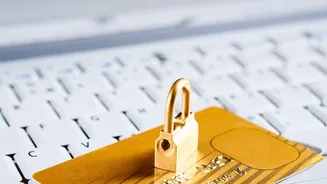

An email arrives marked 'encrypted' or 'secure', and you naturally relax your guard. After all, encryption is meant to keep you safe. But this feeling of security is precisely what cybercriminals are starting to exploit.
What Email Encryption Actually Does
Email encryption is designed to
do one primary job: protect the content of your message from being read by anyone who might intercept it as it travels across the internet. Think of it as putting a letter in a locked box before mailing it. There are two main types. The most common is Transport Layer Security (TLS), which is like sending your letter via an armored truck. It protects the connection between email servers, ensuring no one can eavesdrop on the communication while it's in transit. Most major email services like Gmail and Outlook use TLS by default. The second, more secure type is end-to-end encryption (E2EE). This method encrypts the message itself, and only the sender and the true recipient have the keys to unlock it. Even the email provider can't read the message. However, both methods primarily protect the data while it is moving or stored; they do not, and cannot, verify the identity of the person sending the message.
The False Sense of Security
Herein lies the danger. Seeing a padlock icon or a notice that an email is encrypted creates a psychological bias. We associate encryption with safety, which can lower our natural skepticism. Attackers know this and exploit our trust in the technology. Once a criminal compromises a legitimate email account—often through simple methods like a stolen password—they can send malicious emails from that trusted, encrypted source. The encryption works perfectly, protecting the malicious content from being snooped on in transit, but it also lends a false air of legitimacy to the scam itself. The attack no longer relies on breaking the encryption; it relies on us believing that anything encrypted must be safe. According to the FBI, phishing remains one of the most reported cybercrimes, proving that exploiting the human element is a highly successful strategy.
How Phishers Exploit Your Trust
Modern phishing attacks are increasingly sophisticated and often abuse legitimate security features. Attackers can set up fraudulent websites with valid HTTPS encryption, so the reassuring padlock appears in your browser bar even as you type your password into a fake portal. They might also use a compromised account to send an encrypted email containing a link to a credential-harvesting site or an attachment loaded with malware. Another growing tactic is 'quishing', or QR code phishing, where a QR code in an email bypasses text-based filters and leads the user to a malicious site after they scan it with their phone. Because the original email comes from a seemingly secure channel, the user is less likely to question the request. The goal is always social engineering: manipulating you into taking an action you shouldn't.
Red Flags That Pierce the Armour
Even with flawless, AI-generated grammar, phishing emails still contain structural and psychological red flags. Train yourself to look past the encryption notice and check for these signs. First, inspect the sender's full email address, not just the display name. A slight misspelling or a completely unrelated domain is a major warning. Second, be wary of any message that creates a powerful sense of urgency or fear, pressuring you to act immediately. Third, always hover over links before clicking to see the actual destination URL. If it looks suspicious or doesn't match the link's text, do not click. Finally, question any request that asks you to bypass normal procedures, such as changing payment details or sharing credentials. Legitimate organizations will almost never ask for sensitive information directly via email.
Your Human Firewall Is the Best Defence
Technology alone is not enough to stop phishing, as studies consistently show that the majority of data breaches involve a human element. Your vigilance is the most critical layer of security. Cultivate a 'verify then trust' mindset. If an encrypted email from a known contact seems unusual or makes an unexpected request, don't reply. Instead, verify it through a separate, trusted communication channel, like a phone call to a known number or by starting a new message to an address from your contacts. Remember, encryption protects the message's content from outsiders, but it doesn't protect you from the message's content itself. Your critical thinking is the final, and most effective, decryption key.