
Think of a standard email like a postcard. Anyone who handles it on its journey can read the contents. Email encryption turns that postcard into a sealed, tamper-proof letter that only the intended recipient can open and read.
Why Bother Encrypting Your Email?
Most people assume their
emails are private, but that's not always the case. By default, many email services only encrypt the connection between your device and their server, and between servers. This is called Transport Layer Security (TLS), and it's like sending your postcard through a secure pneumatic tube — it's safe while in transit but can be read at either end. End-to-end encryption, however, protects the message itself. It scrambles the content on your device and it can only be unscrambled on your recipient's device. This is crucial for protecting sensitive information like financial details, business secrets, legal matters, and personal data from being intercepted by hackers or read by service providers. It provides confidentiality, ensures your message hasn't been altered, and builds trust with your contacts.
The Keys to the Kingdom: How It Works
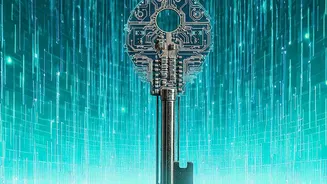
Email encryption relies on a concept called public-key cryptography. Imagine everyone has two keys: a public key and a private key. The public key is like your home address, which you can share with anyone. The private key is like the key to your front door, which you keep secret. To send you an encrypted message, someone uses your public key to lock it. Once locked, the message can only be unlocked using your corresponding private key. This process, which combines fast symmetric keys for the message and slower asymmetric (public/private) keys for security, is known as a hybrid system and is used by all major encryption standards. Even if someone intercepts the message, it’s just unreadable gibberish without the private key.
The Two Main Standards: PGP and S/MIME
When it comes to end-to-end email encryption, two main standards dominate: PGP and S/MIME. Pretty Good Privacy (PGP) was created for individual privacy and uses a 'web of trust' where users vouch for each other's keys. It's a favorite among journalists and privacy advocates. S/MIME (Secure/Multipurpose Internet Mail Extensions) is more common in the corporate world. It relies on centralized Certificate Authorities (CAs) to issue and verify digital identities, much like how websites get SSL/TLS certificates. S/MIME integrates natively into clients like Outlook and Apple Mail, making it easier to deploy in a large organization. The two systems are not interoperable, so you and your recipient must use the same standard.
How to Start Sending Encrypted Messages
Getting started is easier than you might think. For maximum privacy and simplicity, you can switch to an email provider that has end-toend encryption builtin. Services like Proton Mail and Tuta (formerly Tutanota) are designed with privacy as their core feature, automatically encrypting messages sent between their users. Proton Mail, the world's largest encrypted email service, is based in Switzerland and offers robust privacy features even on its free plan. For users of major providers like Gmail and Outlook, encryption is also an option. Gmail offers a 'Confidential Mode', which adds some access controls like expiration dates but is not true endtoend encryption. Both Gmail and Outlook support S/MIME, though it often requires a paid business account and some administrative setup to enable it and upload the required certificates. There are also thirdparty plugins that can add PGP or other encryption layers to your existing email account.