






The Rise of Deceptive Portals
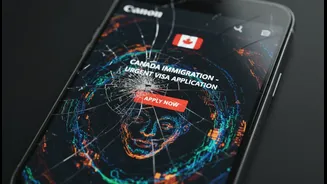
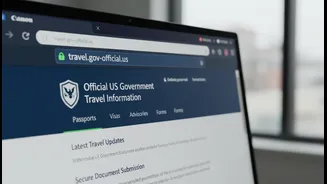
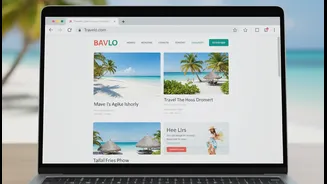
As international travel becomes more accessible, so do the scams targeting eager travellers. Fraudsters create copycat websites that look remarkably similar to official government visa application portals. These sites use convincing logos, flags, and
layouts to trick you into believing they are legitimate. Their goal is twofold: to charge exorbitant fees for services that are often free or much cheaper, and to harvest your sensitive personal information—like passport numbers and financial details—for identity theft. These scams are becoming more common, with fake sites often paying for top placement in search engine results, appearing even before the real ones.
Key Red Flags of a Fake Website
Vigilance is your best defence. Be on the lookout for several tell-tale signs that a website is not what it claims to be. Unprofessional design, including grammatical errors and spelling mistakes, is a major red flag. Official forms are typically free, so be wary of any site that asks for payment just to download an application. Scammers often create a false sense of urgency or promise guaranteed visa approval, which no third party can do. Another major warning sign is the demand for payment through unusual or untraceable methods like wire transfers, cryptocurrency, or gift cards; official government agencies will not ask for fees this way.
Verifying the Official Domain
The single most important check is the website's address or URL. Official government websites typically use specific domain suffixes. For example, U.S. government sites always end in ".gov". For other countries, look for the country's official two-letter code in the URL or a government-specific ending like ".govt.in" for India. Always start your search by visiting the official embassy or consulate website for the country you plan to visit. These sites will provide the correct links to their visa application portals. Be suspicious of domains that end in ".org" or ".com" but are trying to look like official government bodies.
Check for Secure Connections
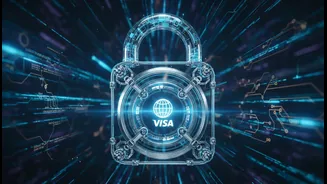
Before entering any personal information, ensure the website has a secure connection. Look for "https://" at the beginning of the URL and a padlock icon in your browser's address bar. The 's' in 'https' stands for 'secure', indicating that the data you send is encrypted. While this isn't a foolproof guarantee of legitimacy—as some scam sites now use it—the absence of a secure connection is a definite signal to leave the site immediately. Never share sensitive information on a website that is not secure.
What to Do If You've Been Scammed
If you suspect you've used a fraudulent site, act quickly. If you entered credit card details, contact your bank or card issuer immediately to report the fraudulent charge and ask for a card cancellation or enhanced security. Stop all communication with the scammers. It's also crucial to report the incident. You can report the fraudulent website to government bodies that handle cybercrime or consumer protection. While you may not get your money back, reporting the scam helps authorities track these criminals and prevents others from falling victim. If you've missed an immigration deadline due to a scam, it's important to have proof that you reported the incident when you explain the situation to the official authorities.