

Understanding a Web Address
Before you can spot a fake, it helps to know what a real web address looks like. Think of a URL like a postal address. The most important part is the domain name, which identifies the website you're visiting. For example, in 'https://www.google.com/maps',
the domain name is 'google.com'. The 'https' at the beginning indicates a secure connection, meaning the data sent between you and the site is encrypted. Everything before the main domain name is a subdomain (like 'www'), and everything after the first slash ('/maps') points to a specific page on that site. The true identity of the site is revealed in the part of the URL that comes just before that first single slash.
The Classic Typo Trick
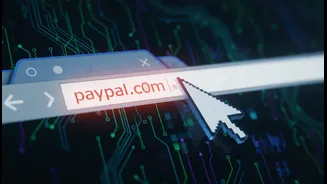
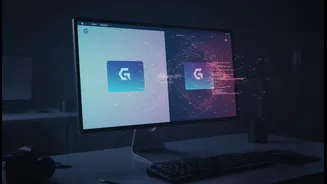
One of the most common scams is called 'typosquatting'. Cybercriminals register domain names that are common misspellings of popular websites, hoping to catch users who make a typing mistake. For instance, you might accidentally type 'gogle.com' or 'facebok.com'. These fake sites are often designed to look identical to the real ones, tricking you into entering login details, credit card numbers, or other personal data. Variations can include using the wrong top-level domain (like '.net' instead of '.com'), adding extra letters, or swapping letters that look similar. The goal is simple: exploit a small mistake to commit data theft, install malware, or create financial loss.
The Deceptive Subdomain Ploy
A more sophisticated trick involves subdomains. A scammer can't own 'amazon.com', but they can create a domain like 'secure-updates.com' and then add a subdomain to make it look legitimate, such as 'amazon.secure-updates.com'. Many people scanning this quickly only see the word 'amazon' and assume it's official. However, the true domain here is 'secure-updates.com', not 'amazon.com'. This technique, known as subdomain phishing, is especially dangerous because the fraudulent links can appear more convincing. Attackers often use this method to create fake login pages that perfectly mimic trusted brands, making them highly effective at stealing credentials.
Other Red Flags to Watch For
Beyond obvious misspellings, other signs can give away a malicious link. Be cautious of URLs that use hyphens to mimic real sites, like 'your-bank-online.com'. Also, be wary of links that have been shortened using services like Bitly. While often used for convenience, scammers use them to hide a link's true, malicious destination. Another warning sign is the absence of 'https' at the start of the address. An 'http' connection is not secure, meaning any information you enter can be intercepted. Finally, trust your instincts. If a website has poor design, spelling mistakes, or offers that seem too good to be true, it's best to be cautious.
Your Quick Safety Checklist
Protecting yourself doesn't require being a tech expert. It just requires a moment of caution. First, always hover your mouse over a link before clicking to see the actual destination URL appear at the bottom of your browser. On a mobile device, a long press on the link will often show you the full address. Second, always look for the padlock icon and 'https' in the address bar, especially on pages asking for personal information. Third, be suspicious of any message that creates a sense of urgency, pressuring you to act immediately. Scammers thrive on panic. If you're ever in doubt, don't click the link. Instead, type the website address directly into your browser yourself.