





The Six-Digit Code That Guards Your Gold
At the heart of this new layer of security is the Hallmark Unique Identification (HUID) number. This is a six-character alphanumeric code that is unique to every single piece of hallmarked jewellery. Think of it as an Aadhaar card for your ornament. Since
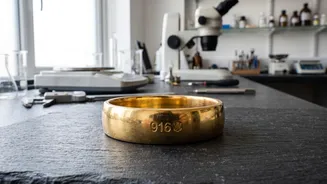
July 2021, the Bureau of Indian Standards (BIS) made it mandatory for jewellers in specified districts to hallmark new gold items with three marks: the BIS triangular logo, a purity grade (like 22K916), and this unique HUID. Before this, hallmarking was batch-based, but HUID makes each item traceable back to the jeweller and the specific Assaying and Hallmarking Centre (AHC) that certified its purity. This system is designed to bring unprecedented transparency, prevent duplication, and give consumers a direct way to verify what they are buying.
A Wake-Up Call From Rajasthan
The urgency for consumers to adopt this verification process was underscored by a troubling scam reported in Rajasthan. Unscrupulous sellers were allegedly selling jewellery made of non-precious metals like copper and brass, stamped with counterfeit BIS hallmarks to pass them off as 22-carat gold. This incident served as a stark reminder that while mandatory hallmarking is a significant step, vigilant consumers are the final line of defence against fraud. For years, a common complaint has been customers being charged for 22-carat gold but receiving jewellery of a lower purity, a fact often discovered only when trying to sell or remake the piece. The Rajasthan case demonstrates that even the hallmark itself can be faked, making digital verification via HUID not just a good idea, but an essential one.
Your Step-by-Step Guide to the BIS Care App
The BIS Care app, the official application from the Bureau of Indian Standards, is a free and easy-to-use tool available for both Android and iOS devices. It empowers you to check the HUID of a piece of jewellery in seconds, right at the jeweller's counter. Here’s how you can do it:1. Download and Open the App: Get the official 'BIS Care' app from the Google Play Store or Apple App Store. Once installed, open it and select the 'Verify HUID' option on the home screen.2. Enter the HUID Number: The jeweller should provide a magnifying glass (loupe) for you to read the tiny code engraved on the jewellery. Carefully type this six-character alphanumeric code into the app.3. Review the Details: Upon entering the code, the app will display the details from the BIS database. This includes the jeweller's registration information, the Assaying and Hallmarking Centre that tested the piece, the type of article (e.g., ring, bangle), and, most importantly, the certified purity.4. Cross-Check Everything: Compare the details on the app with the jewellery in your hand and the information on the purchase bill. The purity, jeweller's name, and item type should all match perfectly. The bill itself should also list the HUID for each item.
What to Do If the Details Don't Match
If the app returns a 'record not found' message or if the details displayed do not match what the jeweller is claiming, it is a significant red flag. First, double-check the code for any typos. If it still doesn't match, you should pause the purchase. A mismatch in purity or jeweller details is a serious concern. The BIS Care app has a built-in 'Complaints' feature that you can use to report the issue directly to the authorities. You can lodge a grievance against the jeweller or the hallmarking centre. According to BIS rules, if hallmarked jewellery is found to be of lesser purity than marked, the consumer is entitled to compensation of twice the value of the difference in purity, along with the testing charges.