







What is the story about?
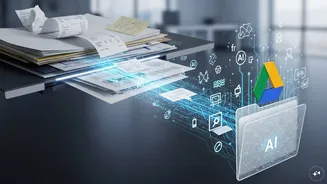
Google Drive has rolled out a major update to its built-in document scanner to make it easier for users to scan and manage documents directly from the app.
The refreshed scanner now supports multi-page scanning, which allows users to capture several pages in a single session instead of scanning them one by one.
Sameer Samat, Google's Android chief, shared a video on the social media platform X, showing the new document scanner in Google Drive.
The video shows that Google has redesigned the scanner's interface to make it look cleaner and easier to use. The update follows Google's new Material 3 Expressive design style, which uses larger buttons, clearer menus, and a more modern layout.
It has also removed the beaker (lab flask) icon that previously appeared in the top-right corner of Google Drive. That icon was used to highlight experimental or newer features.
Earlier, if you wanted to scan a 10-page document, you often had to scan pages one by one. Now, with new Smart Batch Scanning feature, Google Drive can scan multiple pages in one go, automatically detect separate pages and combine them into a single PDF.
The update also includes auto-refresh. Sometimes scanned photos come out blurry because your hand moves or camera doesn't focus properly. So, the new AI-powered feature takes multiple frames while scanning, automatically picks the sharpest image and replaces blurry shots with clearer ones.
Another feature includes duplicate detection, which can automatically identify repeated pages and help users avoid adding the same page multiple times.
The new scanner doesn't need an internet connection. You can scan documents even without Wi-Fi or mobile data. In addition, all the processing can happen directly on the phone, so documents do not need to be uploaded to Google's servers for scanning. Your files stay on your phone during the scanning process.
Where to access new features
The feature is currently available only on Android phones with at least 8GB RAM. The upgraded scanner is available through Google Drive or the Files by Google app on Android devices.
The refreshed scanner now supports multi-page scanning, which allows users to capture several pages in a single session instead of scanning them one by one.
Sameer Samat, Google's Android chief, shared a video on the social media platform X, showing the new document scanner in Google Drive.
The video shows that Google has redesigned the scanner's interface to make it look cleaner and easier to use. The update follows Google's new Material 3 Expressive design style, which uses larger buttons, clearer menus, and a more modern layout.
It has also removed the beaker (lab flask) icon that previously appeared in the top-right corner of Google Drive. That icon was used to highlight experimental or newer features.
New Features
Scanning
documents from a phone is a pain!
Glad to see the new document scanning experience in Google Drive on Android is rolling out now.
???? Smart Batch Scanning: Scan multiple pages at once, automatically splits them into separate docs.
???? Duplicate Detection: Hovering… pic.twitter.com/Uqh2Zf2NMY
— Sameer Samat (@ssamat) May 29, 2026
Earlier, if you wanted to scan a 10-page document, you often had to scan pages one by one. Now, with new Smart Batch Scanning feature, Google Drive can scan multiple pages in one go, automatically detect separate pages and combine them into a single PDF.
The update also includes auto-refresh. Sometimes scanned photos come out blurry because your hand moves or camera doesn't focus properly. So, the new AI-powered feature takes multiple frames while scanning, automatically picks the sharpest image and replaces blurry shots with clearer ones.
Another feature includes duplicate detection, which can automatically identify repeated pages and help users avoid adding the same page multiple times.
The new scanner doesn't need an internet connection. You can scan documents even without Wi-Fi or mobile data. In addition, all the processing can happen directly on the phone, so documents do not need to be uploaded to Google's servers for scanning. Your files stay on your phone during the scanning process.
Where to access new features
The feature is currently available only on Android phones with at least 8GB RAM. The upgraded scanner is available through Google Drive or the Files by Google app on Android devices.