







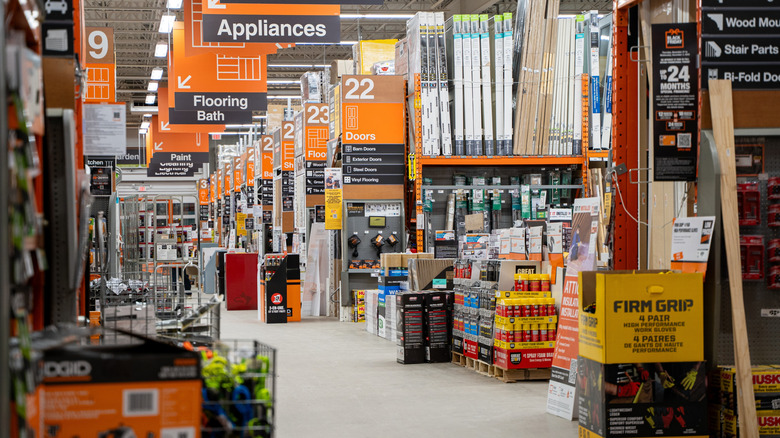
There are two types of people in the world. One calls customer service if something breaks down. The other just goes to Home Depot. It's the go-to place for all types of woodworking products, tools, hardware, and building materials. But as good as Home Depot is, not everything about it is perfect. That place is massive, and finding a specific locknut can quickly turn into a treasure hunt and a big headache. Similarly, not knowing which products are in stock before starting a big project can become
frustrating.
That's why the next time you're ready to repair something, you should download the Home Depot app. It's a real time-saver. For example, the app has a Store Mode that lets you find the nearest location and check what products are in stock. If the type of lumber you need isn't available, you can also check the inventory at other locations. Remember spending 20 minutes looking for a specific item? The Home Depot app has a Product Locator feature that can save you the trouble. It highlights the specific aisle or area for different things. You enter what you want and get directions. You can also scan product barcodes to check prices and reviews, or order online for pickup.
Read more: 13 Cool Tractor Supply Gadgets You Might Not Realize Exist
Plan your next DIY project with the Home Depot App
While features like in-store pickup and Product Locator are great conveniences, they pale in comparison to the project management tools the Home Depot app offers. These include Image Search, which lets you snap a photo of something you like and find out what it is. It could be anything from a cool garage light or wall panel you saw at a restaurant. Other additions include the Magic Apron AI chatbot. It answers questions about home renovation, like how to store patio furniture in winter, and gives product recommendations tailored to your needs. Then there's Room Visualizer, which can project store items directly into your space — a neat feature to check whether something would look right before you buy.
If it's your first time building something, such as a deck or fence, you don't have to guess how much it'll all cost. Inside the Home Depot app, use the project calculator. Just enter the dimensions or wall area, select the materials, and add the items to your cart.
Last but not least, Home Depot also has a Pro Xtra membership. Whether it's worth subscribing or not depends on you. It's like an airline loyalty program: the more you fly, the more points you earn. With Home Depot, members get discounts on bulk purchases, personalized offers, and up to 20% off on paints and primers. While you don't have to be a business or a trained professional to join the program, it offers few benefits for casual buyers.
Want the latest in tech and auto trends? Subscribe to our free newsletter for the latest headlines, expert guides, and how-to tips, one email at a time. You can also add us as a preferred search source on Google.
Read the original article on SlashGear.