






What's Happening?
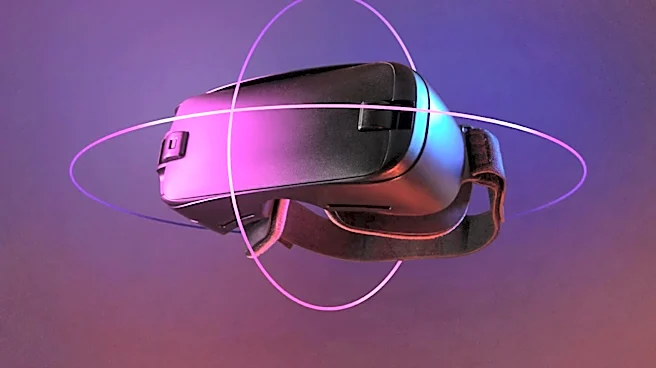
Meta's Virtual Display feature for Quest headsets has received significant updates, bringing its functionality for Mac users to parity with Windows. Key improvements include input forwarding, allowing Quest controllers to control the connected computer,
and a new quick-connect prompt. This prompt enables users to initiate a Virtual Display session by simply looking at their physical Mac, eliminating the need to manually select the computer within the app. The Mac version now also supports the same core display formats as Windows, including Portrait, Compact, Wide, and Ultrawide, along with various text size settings. These enhancements aim to provide a more seamless and integrated remote desktop experience for Mac users within the Quest VR environment.
Why It's Important?
This development is important for the U.S. technology market, particularly for professionals and businesses that rely on both Mac ecosystems and VR for productivity. By achieving feature parity, Meta is making its VR headsets more versatile tools for a broader user base, potentially increasing adoption among Mac users who previously faced limitations. The ability to control a Mac desktop with Quest controllers and the streamlined connection process enhance the utility of VR for remote work, multi-monitor setups, and immersive computing. This move could also intensify competition in the virtual desktop space, pushing other VR and AR developers to improve their cross-platform compatibility and user experience. It signifies a growing trend towards integrating VR into daily computing workflows, rather than just for gaming or entertainment.
What's Next?
Future developments will likely focus on refining the input forwarding capabilities, potentially allowing for more fluid interaction between the computer desktop and the Quest's native Horizon OS interface. Meta may also explore further integrations with macOS features and applications to create a more deeply embedded virtual desktop experience. The company's plan to wind down the standalone HDMI Link app and integrate its functionality into Virtual Display suggests a strategy to consolidate all external display capabilities into a single, unified platform. This could lead to broader support for various external devices, making Quest headsets even more central to a user's digital ecosystem. Continued updates are expected to address any remaining 'rough edges,' particularly concerning input and overall user experience.
Beyond the Headlines
The evolution of Meta Virtual Display points to a future where the boundaries between physical and virtual workspaces become increasingly blurred. The ability to seamlessly project and interact with a traditional computer desktop within a VR environment could fundamentally change how people work, collaborate, and consume content. This raises deeper questions about productivity in immersive spaces, the potential for reduced physical desk clutter, and the long-term impact on user ergonomics and digital well-being. As VR headsets become more comfortable and powerful, the concept of a 'virtual office' could become a mainstream reality, influencing office design, remote work policies, and the demand for specialized VR accessories. The ongoing development of such tools highlights the industry's commitment to making VR a practical and indispensable part of everyday life.