






What's Happening?
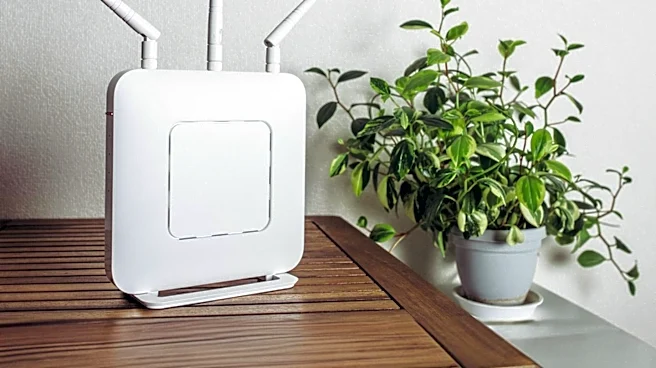
Regularly restarting a home internet router is crucial for maintaining a fast and stable home network, according to technology experts. A router, functioning as a small computer, manages data traffic for all connected household devices, including phones,
laptops, smart TVs, and other smart gadgets. Over time, its memory can fill up with temporary files, leading to a dip in performance. A simple reboot clears the router's memory and cache, resolving temporary glitches and providing a fresh start. This action also refreshes connections between the router, modem, and internet provider, addressing communication issues. Furthermore, a reboot prompts the router to rescan Wi-Fi channels and select less congested ones, potentially boosting wireless speeds. Security processes are also restarted, which can disrupt certain types of malware and remove temporary connections that could be exploited by attackers. The FBI recommends rebooting when suspicious activity is noticed, while the NSA suggests weekly reboots for all devices, including routers.
Why It's Important?
The practice of regularly restarting routers is important for U.S. households due to the increasing reliance on stable and fast internet connections for work, education, entertainment, and smart home functionality. As the number of connected devices in homes grows, the router's workload intensifies, making performance degradation more likely. Slow internet speeds, spotty Wi-Fi, frequent disconnections, and buffering during streaming are common frustrations that can be mitigated by this simple maintenance step. For individuals working remotely or students engaged in online learning, a reliable internet connection is paramount, and router reboots can prevent disruptions. Moreover, the security benefits, such as disrupting malware and closing potential attack vectors, are critical in an era of increasing cyber threats, protecting personal data and network integrity for millions of users across the country.
What's Next?
Users are encouraged to incorporate regular router restarts into their routine. If a router does not support automatic reboots or updates, setting a monthly reminder is advised. For routers in hard-to-reach locations, investing in a smart plug can facilitate remote power cycling via an app. It is important to distinguish between a reboot (turning off and on) and a factory reset (wiping all settings), as only a reboot is generally needed for performance maintenance. Observing signs like slower internet speeds, dropped Wi-Fi connections, or excessive buffering should prompt an immediate router restart. For persistent connection issues in specific areas even after rebooting, exploring mesh Wi-Fi systems or range extenders might be the next step to improve coverage and signal strength throughout the home.
Beyond the Headlines
The recommendation for regular router restarts highlights a broader issue of digital device maintenance often overlooked by the average user. While consumers readily update software on computers and smartphones, the underlying network infrastructure, like routers, often receives less attention. This oversight can lead to cumulative performance degradation and potential security vulnerabilities that are easily preventable. The emphasis from agencies like the FBI and NSA on router security underscores the critical role these devices play as the gateway to home networks, making them potential targets for cyberattacks. This simple act of rebooting can be seen as a fundamental aspect of digital hygiene, empowering users to take proactive steps in managing their home network's health and security, thereby contributing to a more resilient and secure digital environment for individuals and the broader U.S. digital infrastructure.