








What's Happening?
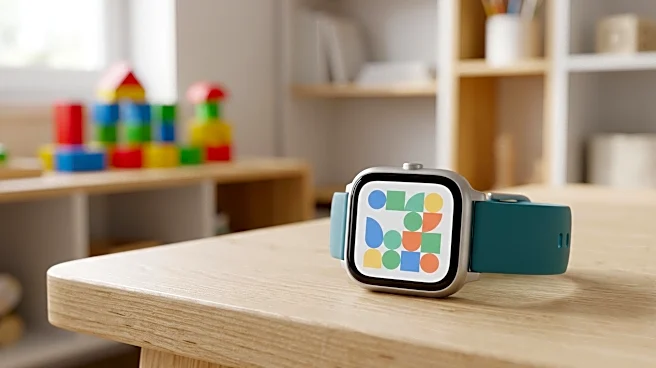
The AT&T amiGO Jr. Watch 2 (W568AA) has rolled out new scheduling capabilities designed to help parents manage their children's device usage. These features allow for the restriction of apps and websites during specified times, aiming to minimize distractions.
Despite these restrictions, the device will continue to permit calls and text messages from approved contacts, ensuring essential communication remains possible. Parents can access these controls through the AT&T amiGO app, where they can set up, enable, disable, edit, or delete schedules. The process involves selecting the 'Menu' icon, navigating to 'Parental controls,' and then 'Schedules' to configure the desired settings, including name, start time, end time, and repeat details.
Why It's Important?
This update is significant for parents seeking to balance their children's access to technology with the need for focused learning and reduced screen time. In an era where digital distractions are prevalent, tools that allow for granular control over device functionality can be crucial for child development and academic performance. By enabling parents to set specific times when non-essential apps and websites are inaccessible, AT&T is addressing a common concern among families regarding digital well-being. This feature could lead to improved concentration during school hours or homework time, and foster healthier digital habits by encouraging breaks from constant connectivity. The ability to maintain communication with approved contacts ensures safety and peace of mind for both children and parents, making it a practical solution for modern family challenges.
What's Next?
Parents who own the AT&T amiGO Jr. Watch 2 can immediately begin utilizing these new scheduling features by updating their AT&T amiGO app. The implementation of these controls is expected to be straightforward, allowing for quick adoption. Future developments might include more advanced customization options for schedules, such as location-based restrictions or integration with educational apps. The success of these features could also influence other device manufacturers and service providers to develop similar parental control functionalities, potentially setting a new standard for children's smart devices. Feedback from users will likely play a role in refining and expanding these capabilities in subsequent updates.
Beyond the Headlines
The introduction of these scheduling features highlights a growing trend in technology design: the integration of digital wellness tools directly into devices and services. This move reflects a broader societal conversation about the impact of technology on younger generations and the responsibility of tech companies to provide solutions. Beyond simply restricting access, these features encourage a more mindful approach to technology use, fostering an environment where children can develop self-regulation skills. It also underscores the evolving role of parental control apps, moving from mere monitoring to proactive management of digital environments. This shift could contribute to a healthier digital ecosystem for children, promoting focused engagement with the real world while still leveraging the benefits of connectivity.