
Flight Ticket Price Jumped in Minutes?
Browser Settings to Check Before Booking
You searched a Delhi-Goa flight. It was ₹4,200. You came back 20 minutes later. Now it's ₹5,800. Was the airline tracking you? Probably not. Here's what actually causes flight prices to jump, and the browser settings that genuinely help.

You found a good fare. Delhi to Goa. ₹4,200.
You didn't book right away. Maybe you wanted to check with a friend. Maybe you opened another tab to compare dates.
Twenty minutes later, you searched again. Same flight. Same date. Now it's ₹5,800.
Your first thought: "The airline saw me searching and raised the price."
You've probably heard this advice before. Search in incognito mode. Clear your cookies. Use a VPN. The airline is tracking your interest and charging you more because you searched twice.
Here's the thing. That advice is mostly wrong.
And following it won't save you money. But understanding what actually happened in those 20 minutes will.
The Biggest Myth in Flight Booking

Let's get this out of the way first.
Airlines do not raise prices because you searched the same flight twice.
This is one of the most repeated travel tips on the internet. And multiple experts, airlines, and booking platforms have confirmed it's not true.
Skyscanner has publicly stated that prices on their platform don't change based on cookies or repeated searches. They don't track your browsing to change fares.
Travel researchers at Going (formerly Scott's Cheap Flights) run thousands of flight searches every day. If repeated searches raised prices, they'd notice. They don't.
Google's Director of Product Management for travel search has also confirmed that ticket prices change because of real-time market shifts, not because of your individual browsing history.
So if the airline isn't watching your cookies, why did the price jump?
What Actually Causes the Price to Change

Flight prices in India (and everywhere) are set by dynamic pricing algorithms. These systems adjust fares based on multiple factors, sometimes hundreds of times per day.
Here's what's really happening when you see a price change:
1. Someone else booked a seat.
Airlines divide seats into fare buckets. Each bucket has a set number of seats at a certain price.
When all the ₹4,200 seats in that bucket are sold, the system moves to the next bucket. That one might be priced at ₹5,800.
Your search didn't raise the price. Another passenger bought the last cheap seat while you were deciding.
2. Demand went up.
Algorithms track how many people are searching for the same route and date. Not you specifically. Everyone.
If 200 people searched Delhi-Goa for the same weekend in the last hour, the algorithm reads that as rising demand. It raises the price for everyone.
3. It's a time-based surge.
Prices often go up as the departure date gets closer. This is especially true for Indian domestic flights.
Booking 4 to 8 weeks before travel generally gets you the best fares on domestic routes. Within 2 weeks of departure, prices rise steeply. Within 3 days, they can double.
4. Fare class availability shifted.
Airlines sell seats in economy, but within economy there are multiple invisible fare classes (like B, M, H, Q, V). Each has its own rules and price.
When lower fare classes sell out, the booking system automatically shows the next available class. Same seat. Higher price. Nothing personal.
So Does Incognito Mode Actually Help?

Short answer: not really.
Incognito mode stops your browser from saving cookies and search history. That's it. It doesn't change how the airline's pricing algorithm works.
If you search the same flight in incognito and in a normal browser at the same time, you'll almost always see the exact same price.
The reason people believe incognito mode works is coincidence. Prices change constantly. Sometimes you open incognito and the price happens to be lower. Sometimes it's higher. It has nothing to do with the browsing mode.
That said, incognito mode isn't useless. It can help with one specific thing.
Browser Settings That Actually Make a Difference
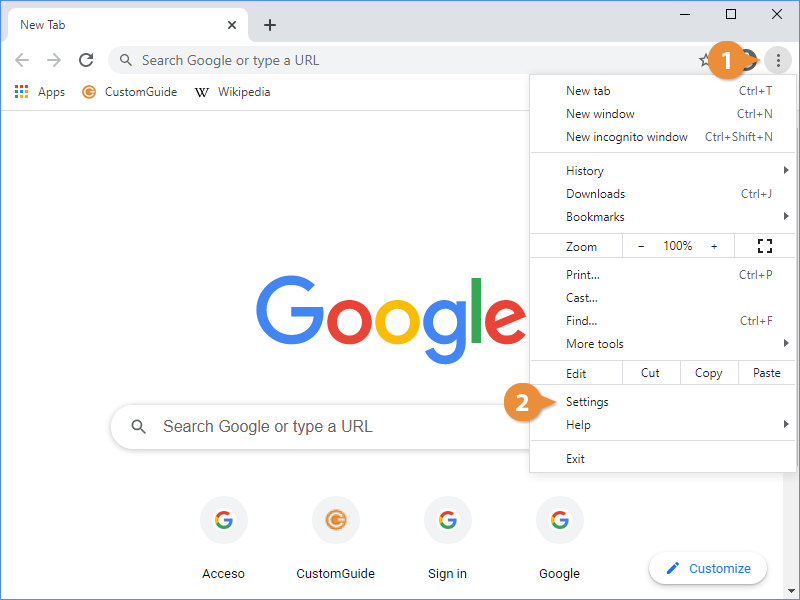
While cookies don't raise flight prices, your browser setup can affect what price you see in subtle ways. Here's what's worth checking.
1. Your location (IP address) matters.
This is the one setting that can genuinely change fares.
Some airlines and booking platforms show different prices based on where they think you are. Your IP address tells them your general location.
A flight from Delhi to Bangkok might show a slightly different fare if you search from an Indian IP versus a US IP. This is called point-of-sale pricing.
What to do: If you're comparing prices, try searching from Google Flights (google.com/travel/flights). It tends to show the most neutral pricing. You can also manually change the country and currency settings at the bottom of the page.
Using a VPN to change your location can sometimes show lower fares. But it can also show higher ones. It's worth a quick check, not a guaranteed hack.
2. Cached results can confuse you.
Sometimes your browser shows a cached (saved) version of a page from a few hours ago. You see an old price that no longer exists. When you refresh, the new, correct price loads, and it looks like the price jumped.
What to do: Before comparing prices, do a hard refresh. On Windows, press Ctrl + Shift + R. On Mac, press Cmd + Shift + R. This forces the page to load fresh data instead of a cached version.
3. Device type can show different results.
Some booking platforms test different prices on mobile vs desktop. This is called A/B testing. It's not common, but it exists.
What to do: If you find a great fare on your phone, check the same flight on a laptop before booking. Or vice versa. It takes 30 seconds and occasionally saves you ₹500 to ₹1,000.
4. Currency settings affect the final number.
If your browser or booking platform defaults to USD or another currency, you might see a converted price that looks different from the INR price. Conversion rates and rounding can add ₹200 to ₹500 to the displayed fare.
What to do: Always set your currency to INR on any booking site. On Google Flights, scroll to the bottom and change the currency before you start searching.
What Actually Saves You Money on Flights in India
Now that we've cleared up the myths, here's what genuinely works.
Book domestic flights 4 to 8 weeks in advance.
This is the sweet spot for Indian domestic routes. Earlier than 8 weeks, airlines haven't released their best fares yet. Later than 4 weeks, cheap fare buckets start selling out.
For international flights from India, 3 to 5 months in advance is the best window.
Fly on Tuesdays or Wednesdays.
This isn't a myth. Midweek flights are consistently cheaper than Friday or Sunday departures on most Indian domestic routes. The demand is lower. The algorithms price accordingly.
Use Google Flights' price tracking.
Instead of searching the same flight 10 times a day (which just stresses you out), set up a price alert on Google Flights.
Go to google.com/travel/flights. Search your route and dates. Toggle on "Track prices." Google will email you when the fare drops.
This is free. And it works better than any amount of cookie-clearing.
Check the price graph.
On Google Flights, after you search a route, click on "Date grid" or "Price graph" near the top.
This shows you how the fare changes across different dates. Sometimes shifting your travel by one or two days saves you ₹2,000 to ₹3,000.
Compare across platforms.
Don't just book from the first site you see. Check the fare on:
- Google Flights (best for comparison and tracking)
- The airline's own website (sometimes has exclusive web fares)
- MakeMyTrip or ixigo (sometimes has coupon or bank discounts)
Prices vary by platform. Even for the same flight on the same date.
Check nearby airports.
If you're flying from Bangalore, also check fares from Chennai. If you're flying from Delhi, check Jaipur or Chandigarh.
Sometimes a ₹800 bus ride to a nearby city saves you ₹3,000 on the flight.
The "20-Minute Rule" That Actually Helps

Here's a practical habit that works better than any browser hack.
When you find a good fare, don't leave and come back. Decide within 20 minutes.
Not because the airline is tracking you. Because other passengers are booking those same seats.
On popular Indian routes like Delhi-Mumbai, Bangalore-Goa, or Hyderabad-Delhi, cheap fare buckets sell out fast. Especially on weekends and holidays.
If the price looks good to you and fits your budget, book it. You can always cancel within 24 hours on most Indian airlines with a small fee. Waiting "to see if it drops" usually means watching it rise.
A Quick Checklist Before You Book
Before your next flight search, run through this:
- Open Google Flights. Set currency to INR.
- Search your route. Check the Price graph for cheaper dates nearby.
- Hard refresh the page (Ctrl+Shift+R) to avoid cached prices.
- Compare the same flight on the airline's own site and one OTA (MakeMyTrip/ixigo).
- If the fare is good, book within 20 minutes.
- If you're not ready, set a price alert instead of searching again tomorrow.
- For international flights, try changing the country setting on Google Flights to see if fares differ.
The Bottom Line
Your browser cookies aren't making flights expensive. Dynamic pricing, seat availability, and demand are.
Incognito mode won't unlock secret fares. Clearing cookies won't reveal hidden discounts.
What genuinely helps is understanding how airline pricing works, using free tools like Google Flights' price tracker, booking in the right window, being flexible with dates, and making a decision when the fare is right.
The next time a flight price jumps in 20 minutes, don't blame your browser.
Blame the 50 other people who searched the same route that morning.
Flight prices change constantly. All tips in this article are based on how airline pricing generally works in India as of 2026. Individual fares depend on the airline, route, date, and demand. Always compare across multiple platforms before booking.