
'%3e%3cpath%20fill-rule='evenodd'%20clip-rule='evenodd'%20d='M6%200C10.4183%200%2014%203.58171%2014%207.99999V14.0003C14%2018.4186%2017.5817%2022.0003%2022%2022.0003H122C126.418%2022.0003%20130%2018.4186%20130%2014.0003V8C130%203.58172%20133.582%200%20138%200H6Z'%20fill='%23EDF2E7'/%3e%3c/g%3e%3cdefs%3e%3cfilter%20id='filter0_d_12223_4749'%20x='0'%20y='0'%20width='144'%20height='36'%20filterUnits='userSpaceOnUse'%20color-interpolation-filters='sRGB'%3e%3cfeFlood%20flood-opacity='0'%20result='BackgroundImageFix'/%3e%3cfeColorMatrix%20in='SourceAlpha'%20type='matrix'%20values='0%200%200%200%200%200%200%200%200%200%200%200%200%200%200%200%200%200%20127%200'%20result='hardAlpha'/%3e%3cfeOffset%20dy='8'/%3e%3cfeGaussianBlur%20stdDeviation='3'/%3e%3cfeComposite%20in2='hardAlpha'%20operator='out'/%3e%3cfeColorMatrix%20type='matrix'%20values='0%200%200%200%200.356863%200%200%200%200%200.427451%200%200%200%200%200.270588%200%200%200%200.7%200'/%3e%3cfeBlend%20mode='normal'%20in2='BackgroundImageFix'%20result='effect1_dropShadow_12223_4749'/%3e%3cfeBlend%20mode='normal'%20in='SourceGraphic'%20in2='effect1_dropShadow_12223_4749'%20result='shape'/%3e%3c/filter%3e%3c/defs%3e%3c/svg%3e)
Understanding File Formats
In the digital realm, various file types serve distinct purposes, with JPG and PDF being among the most recognized globally. A JPG, or Joint Photographic
Experts Group file, is primarily engineered for image compression, allowing for smaller file sizes that are ideal for web use, social media sharing, and email attachments. Its strength lies in efficiently storing detailed photographic images. Conversely, a PDF, or Portable Document Format, is a versatile container capable of holding not just images but also text, graphics, and even interactive elements. PDFs are celebrated for their universal compatibility across different devices and operating systems, ensuring consistent display. Furthermore, PDFs excel at preserving image quality even when scaled to larger dimensions, making them a preferred choice for official documents, portfolios, and high-fidelity visual presentations.
Why Convert JPG to PDF?
While JPG files are often smaller and thus seem more space-efficient, converting them to PDF offers several significant advantages, particularly from a professional standpoint. PDFs provide superior manageability, especially when integrated with cloud services for easier sharing and organization. A key benefit is editability; while a JPG is largely static, a PDF can be dissected into components, allowing for more granular editing and manipulation. This makes PDFs more adaptable for design workflows. Moreover, the compression inherent in JPGs can lead to a noticeable degradation in image quality. PDFs, although sometimes larger in file size, maintain a higher level of visual fidelity, ensuring that images and graphics appear crisp and clear, which is paramount for professional use. This combination of enhanced manageability, editability, and quality preservation makes the JPG to PDF conversion a valuable step for designers and many other professionals.
PC Conversion Steps
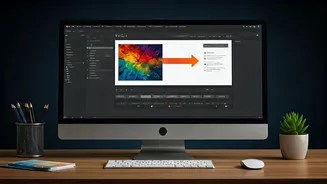
Converting a JPG file to a PDF on a personal computer is a straightforward process, particularly when utilizing established software like Adobe Acrobat. The initial step involves ensuring you have Adobe Acrobat Reader installed on your PC, or accessing its functionalities through a web browser. Once the software is ready, you simply select the JPG file you wish to transform. The application will then process the image, preparing it for conversion. After the processing is complete, a clear download option will appear. Clicking this button will save your file in the PDF format directly to your computer, maintaining the original image quality and integrity.
Smartphone Conversion Guide
For users on the go, converting JPGs to PDFs via a smartphone is also easily achievable, with the Adobe Acrobat application being a popular and effective tool. Begin by downloading the Adobe Acrobat app from your device's app store, such as the Google Play Store. After installation, launch the application and log in using your preferred method. You'll have the option to choose a plan; while a free version is available, unlocking the full conversion features, including image to PDF, might require a subscription, often at a nominal cost. Tap the '+' button, typically found at the bottom right of the screen, and select 'Open file'. Grant the application the necessary storage access to locate your image files. Once you've selected the JPG, you'll see a 'Convert PDF' button. Tapping this will initiate the conversion, and your image will be transformed into a PDF, ready for use or sharing.
Free Conversion Options
For those seeking to convert JPG files to PDF without incurring any costs, numerous online and offline tools are readily available. Many websites offer free JPG to PDF conversion services where you can simply upload your image file, and the tool will automatically handle the conversion. While some smartphone apps might have limitations in their free tiers, utilizing a web browser on your mobile device can also provide a free solution. By navigating to a trusted online JPG to PDF converter through your smartphone's browser, you can upload your image and initiate the conversion process directly. This approach ensures accessibility and cost-effectiveness for converting images to the universally compatible PDF format.